
Last Updated: October 26, 2026
Quick Summary
To keep business number AI systems intact when switching, use call forwarding to redirect calls to your AI service while maintaining your current carrier, or port your number to the AI provider's carrier for a permanent move. Call forwarding is faster, reversible, and best for most contractors testing an AI answering service.
- Call forwarding activates in minutes to same day and lets you disable it anytime if the AI service isn't working out.
- Number porting takes 7-10 business days and permanently transfers your number to the new provider's carrier.
- Most carriers charge $3-$5 monthly for call forwarding, though some plans include it at no extra cost.
- Conditional forwarding lets you answer calls yourself when available while the AI handles the rest automatically.
- Test your AI setup for 1-3 days with call forwarding enabled before going live to catch configuration issues early.
Table of Contents
- Why Your Business Number Matters When Switching to AI
- Number Porting vs. Call Forwarding: Which Method Keeps Your Number
- Setting Up Business Call Forwarding to AI
- Checking Carrier and Number Compatibility
- Configuring AI Receptionist Call Transfer and Handoff
- AI Phone Answering Service Setup: Testing and Rollback
- Protecting Caller ID, Voicemail, and Emergency Calling
- Starting Your Free Trial Without Changing Your Number
- Frequently Asked Questions
Why Your Business Number Matters When Switching to AI
Your business phone number is more than a contact detail, it's your reputation. Customers know it and have saved it in their phones.
When you move to an AI system, you have two paths: port your number to a new provider, or forward calls to your AI service. Understanding the tradeoffs upfront prevents costly mistakes.
This guide covers how to keep business number AI systems intact when switching, from choosing between porting and forwarding to testing before going live.
Number Porting vs. Call Forwarding: Which Method Keeps Your Number
Both porting and call forwarding let you keep your existing business number, but they change your phone system in fundamentally different ways. Choosing wrong can mean weeks of downtime, a broken caller ID, or a number you can't easily get back. The table below summarizes the trade-offs.
| Factor | Number Porting | Call Forwarding |
|---|---|---|
| Who owns the number | New provider (the AI service or its carrier) | Your current carrier |
| Typical setup time | 7-10 business days (sometimes longer) | Minutes to same day |
| Reversible? | No, requires another port to move again | Yes, turn forwarding off and calls ring your phone |
| Risk of downtime | Moderate to high during cutover | Low |
| Cost | Usually free to port; new provider may charge activation | Carrier forwarding fee, often $3-$5/month, sometimes included |
| Best for | Businesses leaving their carrier entirely | Businesses keeping their carrier and adding AI answering |
| Caller ID behavior | Number now lives on new system | Original number still presented to AI |
How Number Porting Works
Number porting transfers the number itself from your current carrier to the AI service provider (or its carrier). The number doesn't get "copied", it moves.
The mechanics follow the same process used for any carrier-to-carrier port:
- Confirm eligibility. The number must be active and in your name, and the account must be in good standing. Numbers on a contract with an early-termination fee may trigger that fee when you port out.
- Request a port-out authorization. Your current carrier provides a port-out PIN or authorization code, plus the account number and service address on file. Under the FCC's local number portability rules, carriers must release a number when the request is valid, but they can require this information first.
- Submit a Letter of Authorization (LOA). Your new provider asks you to sign an LOA authorizing them to port the number on your behalf. The name and address on the LOA must match your carrier's records exactly, or the request gets rejected.
- Wait for the port window. Simple ports often complete in 7-10 business days; complex ports (multiple numbers, landlines, or numbers tied to bundled services) can take longer.
- Cutover. On the port date, calls begin routing to the new system. Keep your old phone active until you've confirmed incoming calls reach the AI.
Porting is permanent in practice. Reversing it means porting again to another carrier, with the same wait and disruption risk. That's why porting suits businesses making a clean break from their carrier, not contractors adding AI answering on top of an existing line.
How Call Forwarding Works
Call forwarding keeps the number with your current carrier and redirects incoming calls to the number your AI service assigns to your account.
There are two forwarding modes to know:
- Unconditional (always) forwarding sends every call to the AI, whether you're available or not. Simple, but you lose the ability to answer live.
- Conditional forwarding sends calls to the AI only when you don't answer within a set number of rings, when your line is busy, or when your phone is off. This lets you pick up when you can and lets the AI cover the rest, usually the better fit for contractors on a job site.
Forwarding activates almost immediately, and if the AI service isn't working out, you disable the rule and calls ring your phone again. That reversibility makes forwarding the lower-risk option for a trial, and why most AI answering services, including CallGrabbr, are built around it.
Which Should You Choose?
Use this short decision path:
- Choose call forwarding if you want to keep your current carrier, you're testing an AI service, you need to go live this week, or you want the option to answer calls yourself when you're free.
- Choose porting if you're leaving your carrier anyway, you want a single provider and a single bill, or your carrier charges enough for forwarding that porting pays for itself.
- Consider a hybrid if you have multiple numbers: port the main line to the AI provider and forward secondary lines, or vice versa, to limit risk during the transition.
Setting Up Business Call Forwarding to AI
Call forwarding setup takes 10-15 minutes and requires access to your carrier account, usually through the online portal or customer service.
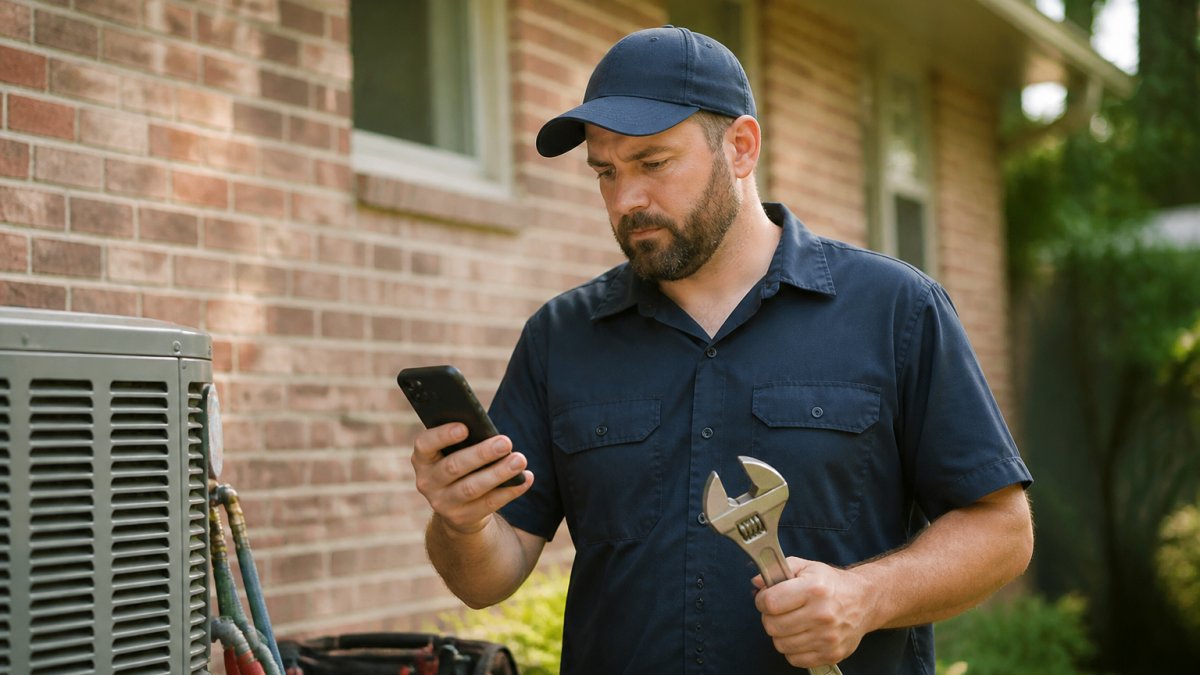
Log into your carrier's website or app, find the call forwarding or call routing settings (location varies by carrier), enter the forwarding number provided by your AI service, and confirm.
Most carriers let you set conditional forwarding, so calls forward only when you don't answer within a set number of rings, you pick up when available, and the AI handles the rest.
Checking Carrier and Number Compatibility
Not every business number forwards the same way. Landlines, VoIP, mobile, and toll-free numbers each have different capabilities, and your carrier's rules determine what you can configure and what it costs. Before pointing anything at an AI service, confirm three things: your number type supports forwarding, your plan includes it (or what the add-on costs), and conditional forwarding is available if you want the AI as a backup rather than a replacement.
Compatibility by Number Type
| Number type | Forwarding support | Typical caveats |
|---|---|---|
| Landline (traditional copper) | Usually yes | May require a call to customer service; conditional forwarding sometimes limited |
| VoIP (hosted PBX or cloud line) | Almost always yes | Configured in the provider's admin portal; some providers charge per-forwarded-minute |
| Mobile | Yes | Some carriers limit how long unconditional forwarding can stay active before requiring renewal; conditional forwarding is generally more flexible |
| Toll-free (800/833/844/855/866/877/888) | Varies | Often requires the toll-free provider's support team to enable; some restrict forwarding entirely |
| Multi-line / bundled business account | Usually yes | Forwarding may apply per-line; confirm which line the AI number replaces |
Carrier-Specific Setup Notes
AT&T, Verizon, and T-Mobile all support call forwarding, but the menus and codes differ:
- AT&T exposes forwarding in the myAT&T app and account portal under call settings; conditional forwarding (no answer, busy, unreachable) is configured separately from unconditional forwarding.
- Verizon offers forwarding through My Verizon and via feature codes; some business plans require the feature to be added before it appears.
- T-Mobile supports forwarding through the T-Mobile app and account settings; prepaid lines may have different rules than postpaid business lines.
For VoIP providers, forwarding is typically a dashboard setting rather than a feature code, look for "call routing," "follow-me," or "forwarding rules." If your number is through a smaller regional carrier or reseller, call support and ask: (1) is call forwarding included, (2) is conditional forwarding available, and (3) is there a monthly fee or per-minute charge?
Costs to Expect
Carrier forwarding fees vary: a common pattern is a flat monthly add-on in the $3-$5 range, though some plans include forwarding and others charge per forwarded minute. VoIP providers often bundle it. Ask before you configure, a "free" AI trial can still cost you carrier forwarding fees.
Edge Cases That Break Forwarding
- Numbers tied to a bundle (internet + phone) may not forward independently; the carrier may require you to unbundle first.
- Numbers on a contract can forward, but porting them out may trigger an early-termination fee.
- Numbers in a multi-line hunt group need the forwarding rule applied to the correct line, or calls will ring the wrong extension.
Help & FAQ covers carrier-specific setup for AT&T, Verizon, and T-Mobile. If your number is through a smaller regional carrier, contact their support team to confirm call forwarding is available and ask about any limitations.
Configuring AI Receptionist Call Transfer and Handoff
Configure your AI to answer with a professional greeting that sounds like your business, then ask for the caller's name, job type, and urgency.
Most AI systems text you lead summaries with the caller's name, what they need, and urgency, arriving in seconds so you can decide whether to call back immediately or between jobs.
Set up call transfer rules that match your workflow: transfer emergencies (like a burst pipe or no heat) directly to you, and log routine inquiries with a summary.
AI Phone Answering Service Setup: Testing and Rollback
Before going live, test your AI system thoroughly to avoid losing real customers to a misconfigured setup.
Enable call forwarding but keep your phone available to answer manually.
Test at different times of day and from different phone types, mobile, landline, VoIP, since some carriers or call types behave differently.
Complete Guide to AI Answering Service Setup provides a detailed checklist and realistic timeline for testing.
Protecting Caller ID, Voicemail, and Emergency Calling
Voicemail depends on your setup. If calls forward before reaching voicemail, the AI handles all incoming calls instead.
Emergency calling (911) routes based on your phone's location, not the forwarding destination, which is why many contractors keep their original phone active for emergencies.
Test emergency calling before going live: verify 911 works from your phone and dispatchers can locate you.
Starting Your Free Trial Without Changing Your Number
The easiest way to test an AI answering service is a free trial. Most services offer 14 days free with no credit card required.
Sign in or create your CallGrabbr account to start your trial. You'll set up your business profile, configure your greeting, and choose your call-handling rules.
If you continue after the trial, CallGrabbr includes a 30-day money-back guarantee, so there's no risk in committing.
Frequently Asked Questions
Can I keep my existing business number when I switch to an AI answering service?
Yes. You can keep your business number using either number porting or call forwarding. Number porting transfers your number to a new provider permanently; call forwarding routes incoming calls to the AI service while your existing carrier keeps your number active. Both methods preserve your number and customer access. CallGrabbr works with your existing business phone number, so you don't lose the identity your customers recognize.
What's the difference between number porting and call forwarding for AI answering services?
Number porting transfers your number to a new carrier or provider entirely, it's permanent and takes 7-10 business days. Call forwarding keeps your number with your current carrier but redirects calls to the AI service automatically. For most small businesses, call forwarding is faster and simpler; you stay with your existing carrier and can revert quickly if needed. Porting is better if you're switching carriers completely or want the AI service to own the number outright.
How long does it take to set up call forwarding to an AI answering service?
Call forwarding setup typically takes minutes to same day. You'll log into your carrier's account, enable call forwarding, and enter the AI service's phone number. CallGrabbr integrates directly with your existing number, no complicated dashboard or learning curve. Once forwarding is active, calls to your business number route to the AI service automatically, and captured leads come to you via text in seconds.
Will my caller ID, voicemail, and emergency calling still work with an AI answering service?
Yes, with proper setup. Caller ID is preserved when using call forwarding, your number displays to customers. Voicemail continues to work through your existing carrier. Emergency calling (911) remains functional with your original number. When you configure the AI service, ensure it's set to transfer urgent calls directly to you so nothing critical gets missed. Test emergency routing before going live to confirm handoff works.
Keeping your business number while switching to AI is straightforward when you understand your options. Call forwarding is the fastest, lowest-risk path for most contractors. Test thoroughly before going live, confirm your carrier supports forwarding, and you'll have a professional AI system answering calls while your number stays exactly the same. Start your free trial with CallGrabbr and capture leads you'd otherwise miss, no number change required.
