
Last Updated: October 28, 2026
Quick Summary
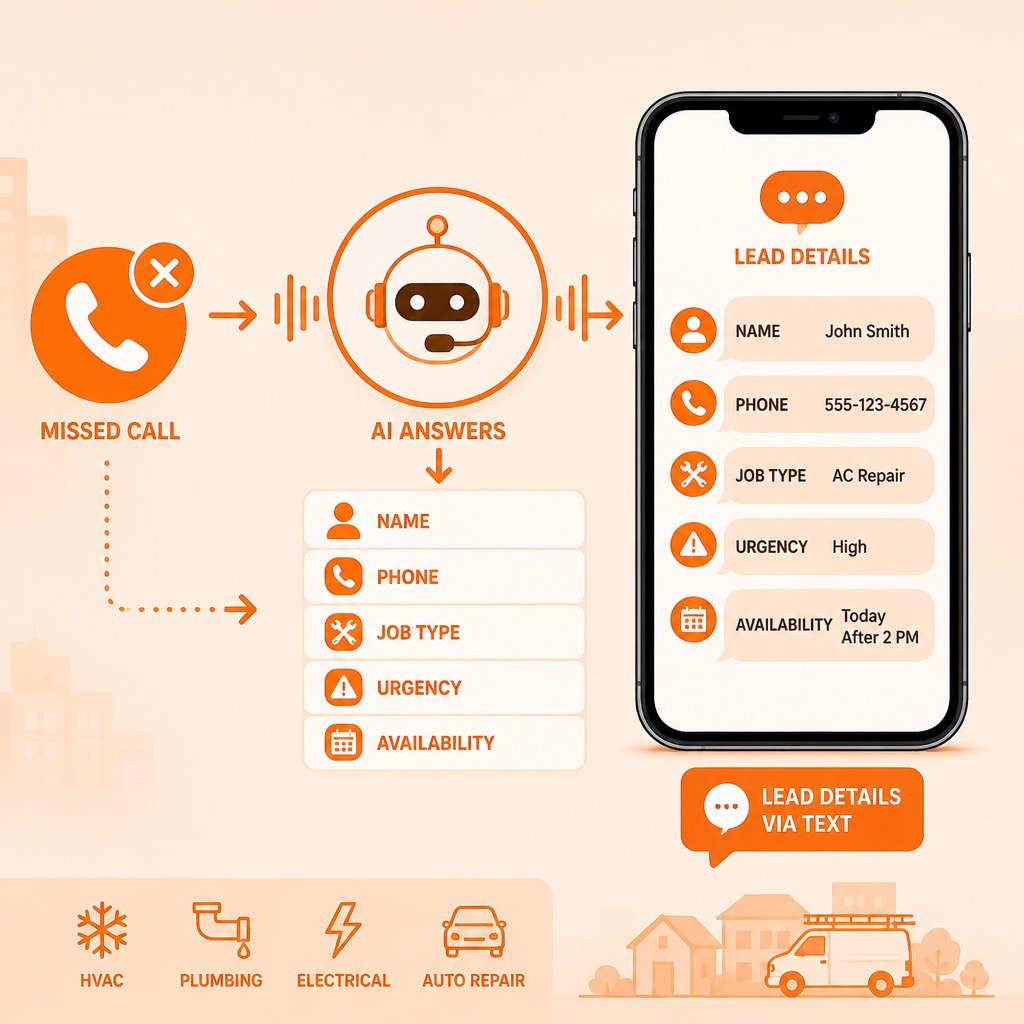
To get lead details via text, forward unanswered calls to a missed-call service that texts you a summary of who called and what they need. Keep your existing number, and the system collects the caller's name, location, request, and urgency. You then decide the next step, such as calling back.
- Keep your existing business number; no number change is required.
- Unanswered calls forward to the service, which collects caller and job details.
- You receive a lead summary by text, showing who called and what they need.
- Capturing a lead is not the same as booking the job; you still decide the next step.
- Read the summary back on the callback to confirm the details are correct.
Table of Contents
- What Information to Collect From a Lead
- Using a New Customer Inquiry Text Template
- Setting Up Missed Call Text Messages and Automated Answering for Your Business
- Frequently Asked Questions
What Information to Collect From a Lead
Keep intake questions focused: name, address or zip code, what they need in their own words, urgency ("no heat" versus "planning a remodel"), and a best callback number if it differs. To compare how missed-call lead capture and AI answering handle this intake, see missed-call lead capture vs AI answering. Save detailed questions for the callback.
Using a New Customer Inquiry Text Template
A template is a short conversation that collects structured details without feeling like paperwork.
Message 1, opening and consent
Hi, this is [Business Name]. Sorry we missed your call. Reply YES and I'll ask a few quick questions so we can help. Reply STOP to opt out.
A YES reply gives you a record of the customer's response.
Message 2, name and location
Thanks. What's your name, and what's the service address or zip code?
Ask for name and location together.
Message 3, the need
What do you need help with? A sentence or two is fine.
"Water under the kitchen sink" describes the customer's issue.
Message 4, urgency and access
Is this urgent (no heat, no water, safety issue), or can it wait for a scheduled visit? Any gate codes or pets we should know about?
Ask about access notes if they are relevant.
Message 5, callback preference
Best number and time to call you back?
Only ask if the number they texted from is not the best one.
Handling vague or incomplete replies
Send one targeted follow-up instead of repeating the full list: "Got it, is the unit blowing warm air or not running at all? And what's the best address for the service call?" If a caller goes silent after two messages, stop. Log the partial lead and try one phone call during business hours.
What to leave out of the first text
Skip budget, warranty status, model numbers, and payment questions until the callback.
Here is the path a lead takes once the template goes out:
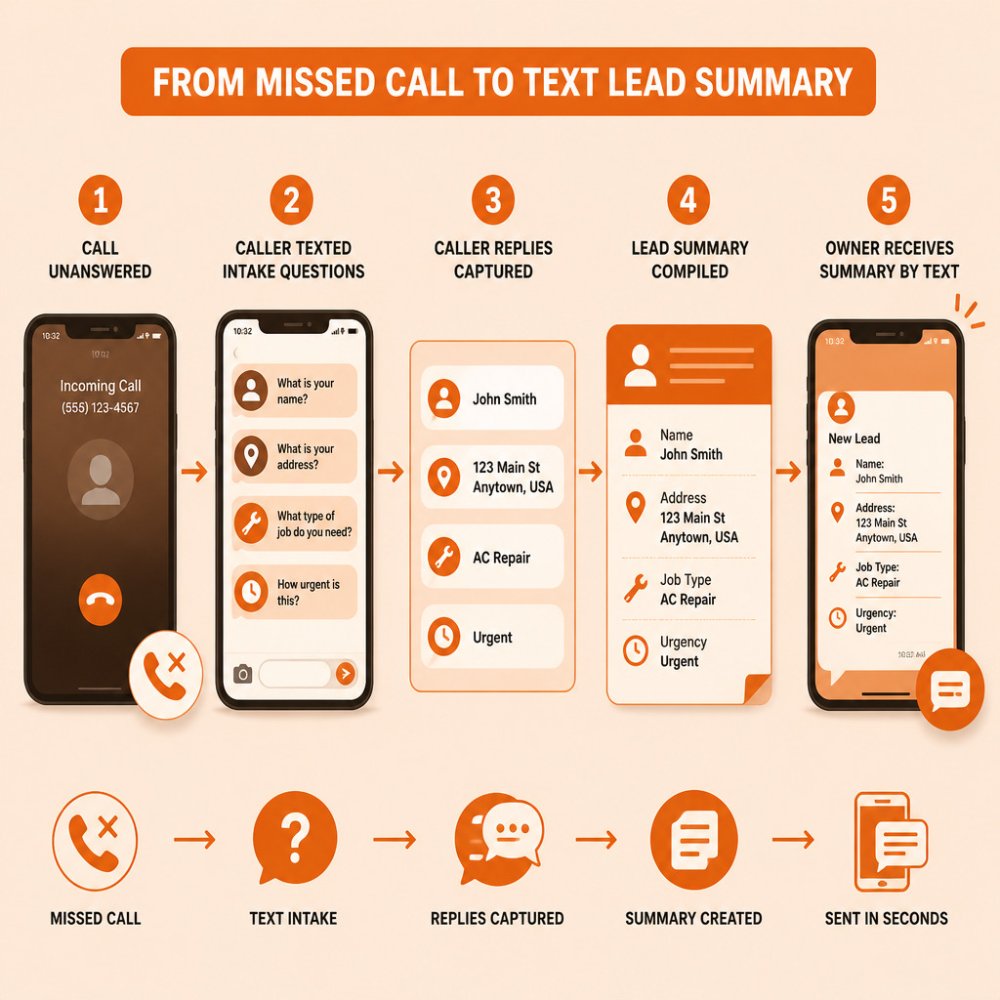
The five-message template breaks down into these steps, each with its purpose:
| Message | What to ask | Why it works |
|---|---|---|
| 1. Opening and consent | Reply YES to continue | Records the customer's consent |
| 2. Name and location | Name and service address or zip code | Asked together to save a message |
| 3. The need | What they need help with | A sentence or two is enough |
| 4. Urgency and access | Urgent or schedulable; gate codes or pets | Sets priority and access notes |
| 5. Callback preference | Best number and time | Only asked if the texting number differs |
Setting Up Missed Call Text Messages and Automated Answering for Your Business
You do not need to change your phone number. With CallGrabbr, your existing number stays the same. Unanswered calls forward to the service, which collects the caller's details and sends you a lead summary by text. Capturing the lead is not the same as booking the job, the summary tells you who called and what they need so you can decide the next step.
Setup usually follows these steps:
- Set up call forwarding from your carrier; confirm the exact dial code with them.
- Test by calling your own number from a second phone.
From reply to record: how the details get organized
When a human should take over
Set a response-time target you can actually hit, such as calling back urgent leads promptly and scheduling non-urgent callbacks when you can.
Accuracy and error recovery
A few habits can help you review lead details:
- Read the summary back on the callback: "I have you at 14 Oak Street, furnace not heating, is that right?"
- If a detail is unclear, confirm it with the caller.
Consent, privacy, and storage
Start the 14-day trial to see how lead details via text arrive on your phone.
Frequently Asked Questions
What does it mean to get lead details via text?
It means collecting a prospective customer's contact information and job details, then sending that information to you as a text summary. Instead of waiting for a voicemail to be returned, you receive the name, callback number, address, problem, and urgency in one place. This matters most when you are on a job site or under a sink and cannot answer. You can review the lead, decide whether it fits your work, and call back with the details already in hand.
What details should you collect from a new lead?
Start with the caller's name, callback number, and service address. Then ask what is broken or needed, how urgent it is, and when they are available. Add a note on the equipment or vehicle type if relevant, and whether they are a current or new customer. Keep the list short. Once you have these basics, you can decide quickly whether to call back, quote, or schedule.
How do you follow up with a lead after a missed call?
Reply promptly with a short text that confirms you received their message and tells them when to expect a call. A clear message such as 'Sorry we missed you. Reply with your address and what you need, and we will call within the hour' keeps the conversation moving. Note the lead's urgency in your log so emergency calls go first. CallGrabbr can send a lead summary by text so you can review it and decide how to respond.
