
Last Updated: November 5, 2026
Quick Summary
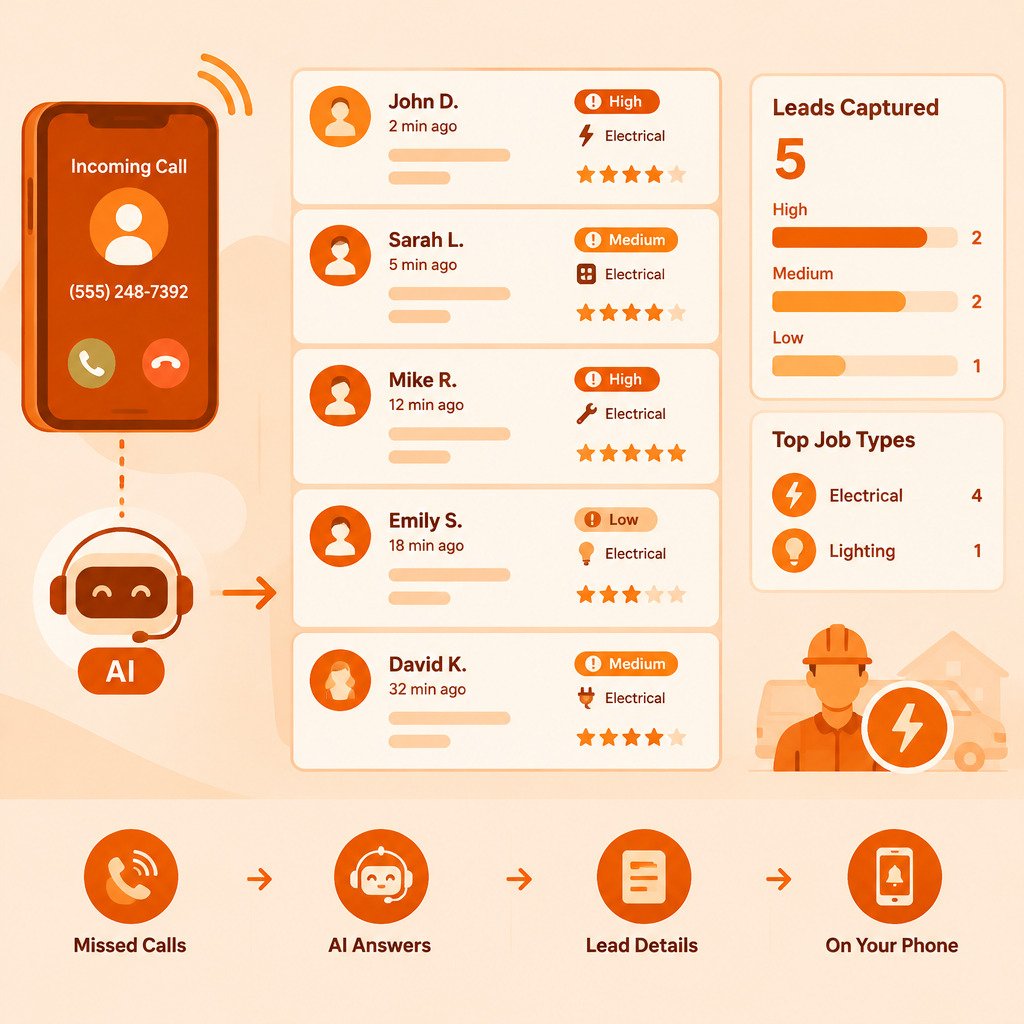
AI lead capture answers the calls you cannot take on site, such as after-hours or missed calls, and collects the caller's name, problem, urgency and location. You then get a lead summary by text or email to decide your callback. It captures leads but does not book jobs for you.
- Keep your existing business number and forward unanswered calls to the system.
- Run the safety screen first, so sparking, smoke or shock calls get escalated fast.
- Route calls into emergency, urgent and routine tiers with set callback times.
- Track response time and booking rate, not just the number of leads received.
- Compare a baseline week before and after to see if capture is working.
Table of Contents
- Why Missed Calls Cost Electrical Contractors Jobs
- How AI Lead Capture Works for Electrical Contractors
- Electrician Intake Questions for New Customers
- Missed-Call Text Back for Contractors: What It Looks Like
- Electrician Lead Generation Starts With Fast Follow-Up
- Lead Capture Tools Compared for Electrical Contractors
- What to Look for in an AI Answering Service
- Limits and Tradeoffs of AI Call Handling
- Setting Up Lead Capture Before Your Next Job
- Frequently Asked Questions
Why Missed Calls Cost Electrical Contractors Jobs
When you are up a ladder or crawling through an attic, the phone rings and goes unanswered. The caller tries the next electrician on the list. Many of those calls never come back to you.
Missed calls are a real leak in the sales pipeline. A caller with a tripped breaker, a sparking outlet or a panel upgrade request usually wants someone fast. If you do not pick up, that caller often moves on.
The cost is not just the one job you missed. It is the repeat customer, the referral and the review that never happened. The impact on your own schedule is the number to watch.
Start by counting how many calls you missed last week and how many of those callers left a voicemail. That gives you a baseline before you change anything.
How AI Lead Capture Works for Electrical Contractors
AI lead capture is a system that answers the calls you cannot take and gathers the basic details you would collect yourself. It is built for the moment when you are busy, not for replacing your own voice on every call.
Here is the practical workflow with CallGrabbr. You keep your existing business number. Unanswered calls forward to CallGrabbr. The system asks the caller for their name, what the problem is, how urgent it is and where the job is. For a trade-specific setup, see how after-hours missed-call lead capture for plumbers handles leak intake and emergency flags. It then sends you a lead summary by text or email.
Capturing a lead is not the same as booking an appointment or closing a sale. The summary tells you who called and what they need. You still decide whether to call back, quote the job or schedule a visit.
Review the first few summaries closely. Check whether the questions match how you run intake, and adjust your own follow-up script to fit what the system collects.
Electrician Intake Questions for New Customers
Good intake questions do two jobs: they help you decide whether the job is worth a site visit, and they tell you how soon to send someone. For electrical work, the questions also need to separate a routine outlet swap from a hazard that needs a callback in minutes.
Use this list as a starting point, and group the questions by what they help you decide.
Safety screen (ask first, every call)
- Is there any burning smell, smoke, sparking, or heat at an outlet, switch, or panel right now?
- Has anyone been shocked or is anyone injured?
- Is water touching any electrical equipment?
If the answer to any of these is yes, your follow-up should be immediate. Tell the caller to call 911 if there is fire, smoke, or injury. An AI system should hand these calls to a human fast rather than keep asking intake questions.
Job details (ask next)
- What is the address or general service area?
- What is happening? (power out in part of the house, breaker keeps tripping, sparking outlet, panel upgrade, new circuit for a hot tub or EV charger)
- Is this an emergency, or can it wait a few days?
- What type of property is it? (owner-occupied home, rental, commercial space)
- Is the panel inside or outside, and is it accessible?
- What is the best callback number and time?
Qualification details (ask when the job is not an emergency)
- For panel work: what is the service size, and is there a photo of the panel label?
- For EV chargers or hot tubs: what amperage does the equipment need, and how far is the run from the panel?
- For commercial calls: is this a tenant improvement, a repair, or new construction, and who approves the work?
- For rentals: is the caller the owner, the tenant, or a property manager?
These details matter because they change the estimate, the crew, and the permit. A 100-amp panel that needs a 200-amp upgrade is a different job than a tripped GFCI. A commercial tenant improvement needs a different approval path than a homeowner replacing a light fixture.
Routing by urgency
A simple three-tier routing rule works for most electrical shops:
- Emergency: sparking, smoke, burning smell, shock, water on equipment. Call back within minutes, and escalate to a human if the AI system is handling the call.
- Urgent: total power loss, a breaker that will not reset, a panel that is warm to the touch. Call back the same business day.
- Routine: new circuits, panel upgrades, EV chargers, lighting, and small repairs. Schedule a callback within one business day and book a site visit.
Watch out: if you let the AI system collect every detail before routing, an emergency caller may hang up or wait too long. Set the safety screen to run first and, where your setup allows, trigger an immediate handoff.
What to do with the answers
Review the first week of summaries against your own calls. If the system is missing panel details or service-area limits, add those questions. If it is asking too many questions before the safety screen, reorder them. The goal is a short, consistent intake that gives you enough to quote or schedule without making the caller repeat themselves.
Missed-Call Text Back for Contractors: What It Looks Like
A missed-call text back is a short message sent to the caller right after you miss their call. It tells them you got the call and what happens next.
A simple example reads: "Sorry we missed your call. This is [Your Business]. Reply with your address and a brief description of the electrical issue, and we will get back to you within the business day." The wording matters less than the speed. A reply within minutes keeps the caller in your pipeline.
If you use CallGrabbr, the system collects the caller's details during the call, so you can follow up with more context than a generic text. Keep your text short and clear, and always include your business name so the caller knows who responded.
Electrician Lead Generation Starts With Fast Follow-Up
Lead generation is the work of getting an inquiry into your hands. Fast follow-up is what turns that inquiry into a booked job. Many electricians spend money on ads or listings and then lose the lead because the first callback comes two days later.
Set a follow-up window you can actually keep. Some owners review leads at lunch and again at the end of the day. Others assign one person to call back within an hour during business hours. Pick the rhythm your crew can sustain, and write it down so everyone knows who owns the callback.
Measure the gap, not just the count
A lead count by itself does not tell you whether AI lead capture is working. Track these five numbers each week:
- Leads received by source (missed call, after-hours call, web form, text, referral).
- Response time from first contact to your first callback.
- Qualified-lead rate, the share of leads that match your service area, job type, and schedule.
- Booking rate, the share of qualified leads that turn into a scheduled visit.
- Revenue booked from those visits, kept separate from profit.
A simple hypothetical example shows why this matters. Suppose you receive 40 leads in a month from missed calls and after-hours calls. If 25 are qualified, 15 book a visit, and 10 turn into paying jobs at an average ticket you set yourself, you can compare that against the same month before you added AI capture.
Attribute the source
Ask every caller how they found you, and log it next to the lead summary. If the AI system captures the call, add a source field to the summary or note it when you call back. Over a few weeks, you will see which sources bring callers who book and which bring tire-kickers.
Compare before and after
Pick a baseline week before you turn on AI capture. Count missed calls, voicemails, callbacks, and booked jobs. Then run the same count for a week after. If response time drops and the booking rate rises, the system is earning its place.
Watch out: a rising lead count can hide a falling booking rate. If you add a new lead source and your booking rate drops, check whether the new leads are outside your service area or job type before you blame the tool.
Keep the human step visible
Capturing a lead is not booking an appointment or closing a sale. The summary tells you who called and what they need. You still decide whether to call back, quote the job, or schedule a visit.
For more on handling inbound calls from your electrical service line, see our guide to electrical service call intake. It walks through how to set up the details that matter most for urgency and scope.
Lead Capture Tools Compared for Electrical Contractors
There are several AI call-answering and lead tools aimed at contractors. They differ in how they answer calls, how they deliver leads and what they cost. Below is how the options in our research compare, with prices and plan details left for you to check on each vendor's site, since we could not verify them.
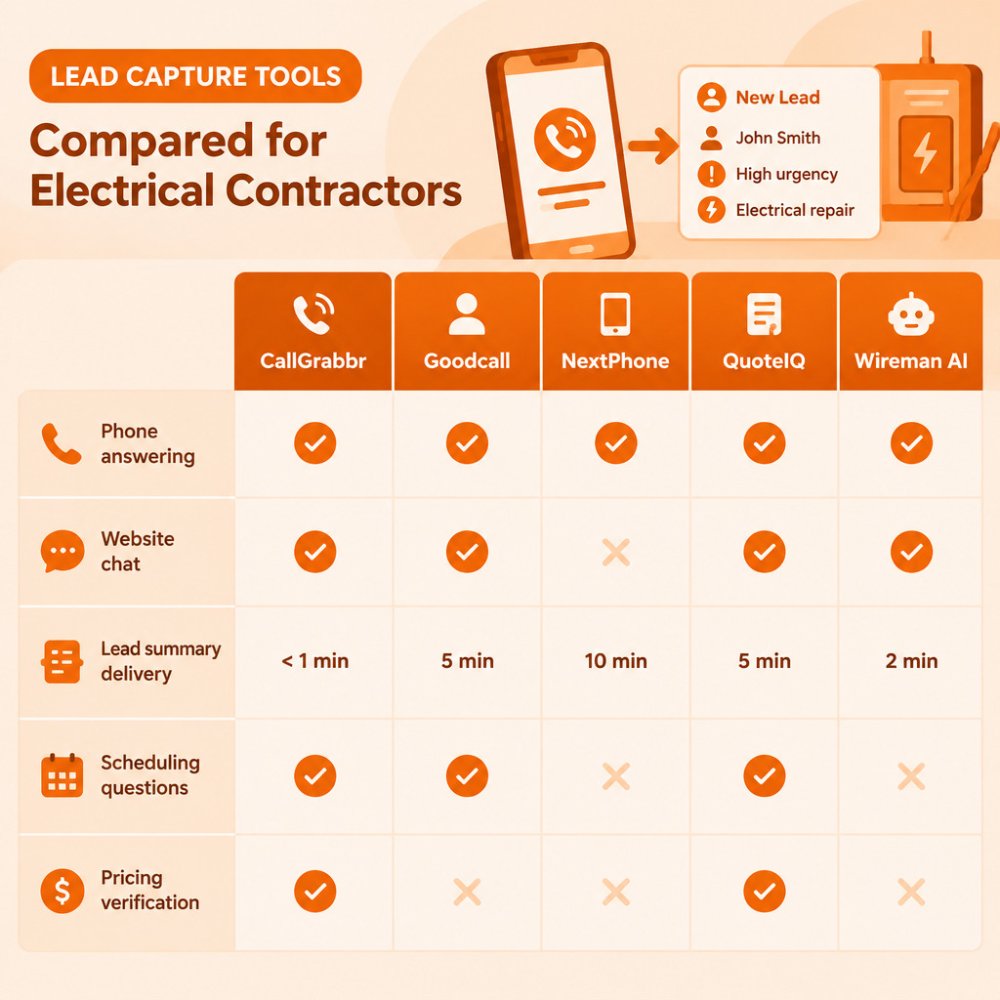
| Tool | Answers Phone Calls | Website Chat | Lead Delivery | Pricing Status |
|---|---|---|---|---|
| CallGrabbr | Yes, missed calls | Not listed | Text or email summary | Free trial, see pricing page |
| Goodcall | Yes, 24/7 | Not confirmed | Lead info captured | Not verified |
| NextPhone | Yes, 24/7 | Not confirmed | Lead info captured | Not verified |
| QuoteIQ | Not established | Yes, CSR AI chat | Calendar booking | Not verified |
| Wireman AI | Call capture | Not confirmed | Automated follow-up | Not verified |
CallGrabbr Best for: electrical contractors who miss calls while working on site. To see a direct side-by-side, read CallGrabbr vs Ruby for how missed-call texts compare with a live receptionist. It answers calls you cannot reach, collects name, urgency and job type, and sends a summary to your phone in seconds. There is no dashboard to learn. Watch for: it captures leads rather than booking appointments, so you still schedule the job yourself.
Check each vendor's current pricing and plan limits before you decide. If you are weighing a flat-rate option against per-call reception, CallGrabbr vs Smith.ai lays out how the two models differ.
What to Look for in an AI Answering Service
Pick an AI answering service based on what happens after the call, not only on the call itself. Use this checklist when you compare options:
- Does the caller reach the system when you cannot pick up, and how is that routing set up?
- Does the lead summary include the details you need: name, address, problem, urgency?
- Is the summary delivered to you quickly, by text or email, and can you act on it from your phone?
- Does it keep your existing phone number, or does it require a new one?
- Can you see what the system asked and what the caller said, so you can verify accuracy?
- Is the pricing clear, and does the vendor's site show a current free trial or plan terms?
For a clearer picture of when a person may be the better fit, read our comparison of missed-call lead capture vs. a live receptionist for contractors. It covers prices, call limits and when hiring someone makes more sense.
Also ask how the service handles safety. Calls about gas smells, active sparking or injuries need a clear escalation path, and you should know exactly what the system tells those callers.
Limits and Tradeoffs of AI Call Handling
AI call handling is useful, but it is not a full replacement for a person. Know the limits before you rely on it.
Callers with complex or emotional situations may want to talk to a human. Some may hang up when they realize they are speaking with an automated system. You should expect a small share of callers to decline to leave details, and you should have a plan for those cases.
Accuracy matters too. If the system misunderstands an address or a symptom, your callback may start on the wrong foot. Listen to a few recordings or review summaries against what you hear on your own calls.
A live receptionist offers judgment, warmth and the ability to handle unusual requests. AI offers availability and low cost per call. Many electrical owners use AI for after-hours and overflow calls, and keep a person or their own phone for emergencies and high-value work.
Setting Up Lead Capture Before Your Next Job
Setting up lead capture takes an afternoon, not a month. Work through these steps before your next busy stretch.
- Decide which calls to route. Start with missed calls and after-hours calls. Leave your own line for emergencies you want to take personally.
- Write your intake questions. Use the list from earlier, and add any questions specific to your work, such as service area limits or panel brands you do not install.
- Set your follow-up window. Choose the time you will review each lead, and tell your team who owns the callback.
- Test the system. Call your own number from a different phone, let it go to the system, and check the summary you receive.
- Review the first week. Look at every summary, note what was missing and adjust your questions.
- Track results. Count leads received, callbacks made and jobs booked. Compare this against the missed-call count you recorded at the start.
You can try CallGrabbr with the 14-day free trial to see how the lead summaries look on your own phone. Review the current plans on our pricing page before you decide, and use the trial to check the summaries against your own workflow.
For more on handling inbound calls from your electrical service line, see our guide to electrical service call intake. It walks through how to set up the details that matter most for urgency and scope.
Frequently Asked Questions
How does AI lead capture work for electrical contractors?
When you cannot answer a call, the call is forwarded to an AI answering service. The service asks questions such as the caller's name, address, what the electrical problem is, and how urgent it is. It then sends a summary to you by text or email so you can decide whether and when to call back. Your business number stays the same, so customers keep dialing the number they already know. The AI captures the lead, but it does not book the job or complete the sale; that still happens when you return the call and confirm the work.
Can an AI answering service collect details about an electrical job?
Yes, a well-configured service can collect the basics: caller name, callback number, service address, the type of electrical issue, whether it is an emergency such as a sparking outlet or a tripped main, and whether the caller is a homeowner or a property manager. Details beyond that depend on the service's setup and what you ask it to collect. Before you rely on any tool, test it by calling your own line, reading the summary it sends, and checking whether the details are complete enough to act on.
Does an AI receptionist book appointments or just capture leads?
Those are different functions. Lead capture gathers information and sends it to you. Appointment booking puts a time on your calendar. Confirm with each vendor which capabilities their plan includes. Confirm the specific capability with the vendor and your plan details on each vendor's official page before assuming a tool will schedule jobs for you.
How should electrical contractors follow up with missed-call leads?
Call back as soon as you can between jobs, starting with emergencies and callers who gave a clear address and problem description. If you cannot reach them, a short text that confirms you received their request and gives a callback window keeps the lead warm. Keep messages simple and specific. Log the outcome, whether booked, quoted, or no response, so you can see which lead sources actually turn into work over time.
