
Last Updated: October 25, 2026
Quick Summary
An AI answering service is worth it for small businesses when it captures after-hours and overflow calls as structured leads instead of voicemail. Compare total monthly cost, not the sticker price: base subscription, per-minute rate, overages, and add-on fees all count. Test it on your own real calls during a trial before you commit.
- Pull three months of call detail records to count calls, average duration, and after-hours share before pricing.
- Ask whether screened, blocked, or spam calls are billed, since screening affects cost.
- Confirm if human escalation is included, metered, or a separate live-answering contract.
- Test heavy accents, noisy calls, ambiguous requests, and emergencies during the trial, not just a demo call.
- CallGrabbr offers a 14-day trial with no credit card and a 30-day money-back guarantee on paid plans.
Table of Contents
- What Small Businesses Should Look For in an AI Answering Service
- AI Phone Answering Service Pricing: What Drives the Bill
- AI Answering Service vs. Live Answering Service
- AI Call Answering Service for Contractors: HVAC, Plumbing, Electrical, Auto Repair
- Missed-Call Text-Back Service: Why It Matters More Than Voicemail
- Security, Handoff, and What Happens When the AI Fails
- Start Your 14-Day Trial and Test It on Real Calls
- Frequently Asked Questions
What Small Businesses Should Look For in an AI Answering Service
An AI answering service is software that picks up inbound calls your team can't reach, talks to the caller, and captures the details you need to call back. For a one-truck HVAC shop, that difference between voicemail and a captured lead is often the whole job.
Most buyers get distracted by voice quality demos. A natural-sounding voice matters, but it's the least important part of the decision.
Call Handling, Screening, and Routing Basics
The core job is call handling: answer fast, screen out spam, and route real jobs to the right person. Look for configurable call screening so robocalls don't eat your minutes, call routing rules that follow your business hours, and call forwarding that keeps your existing number. A system that forces you to change your phone number is a non-starter for most contractors, because customers already know the number on the truck.
Lead Capture and Message Quality
Here's where most services fall apart. A transcript is not a lead. What you want is a structured summary: caller name, address, what's broken, and how urgent it is. Ask vendors to show you a real example of a captured after-hours call before you sign anything. If the summary reads like a garbled voicemail, you'll be calling the customer back blind.
AI Phone Answering Service Pricing: What Drives the Bill
AI phone answering service pricing usually comes down to call volume and minutes, not features. Most providers charge a monthly subscription with a per-minute rate or a cap on included minutes, and some add setup fees.
But the sticker price is not the number you should compare. The number that matters is total cost of ownership: what you actually pay in a normal month once overages, spam calls, setup, and human escalation are counted.
The Four Line Items on Almost Every Bill
- Base subscription. A flat monthly fee that includes a bucket of minutes or calls. Tiers are usually separated by included volume, not by features, so the cheapest tier often lacks the routing or integration you need.
- Per-minute or per-call rate. Charges for usage inside the plan, or a metered rate if the plan is usage-only. Ask whether the meter runs on talk time, billed time (rounded up per call), or connected calls only.
- Overages. The rate applied once you exceed your included minutes. Overages are frequently billed at a higher rate than in-plan usage, so a busy month can cost more than the next tier up.
- One-time and add-on fees. Setup or onboarding, number porting, extra phone numbers, additional users, CRM or calendar integrations, and premium voices. These are the fees that make two $99 plans look identical until the first invoice.
A Realistic Monthly Math Example
Suppose a two-person plumbing shop gets 180 inbound calls a month, averages four minutes per call, and routes after-hours calls to the service. That is roughly 720 talk minutes. Run this math with your own call log, not the vendor's sample.
The Costs Competitors Leave Out
- Spam and robocall minutes. If the service bills for every call it answers, screening matters financially, not just operationally. Ask whether screened or blocked calls are billed.
- Human escalation. If the AI transfers to a live agent, find out whether that agent time is included, billed at a separate per-minute rate, or requires a separate live-answering contract. This is the single most common source of invoice surprise.
- Integration fees. Some providers charge per connected tool or per seat for CRM and calendar sync. Start with the one or two integrations you will actually use.
Questions to Ask Before You Compare Quotes
- Is billing based on talk time, rounded billed time, or completed calls?
- What is the overage rate, and does it change by tier?
- Are screened, blocked, or spam calls billed?
Before you commit, see the actual plan prices and what's included so you can compare the total against what you'd pay a part-time receptionist. A part-time receptionist at 20 hours a week carries wages, payroll taxes, and coverage gaps; an AI service carries minutes and overages.
Here are the line items that show up on almost every AI answering service bill.
| Line item | What it is | Note |
|---|---|---|
| Base subscription | Flat monthly fee with a bucket of minutes or calls | Tiers separated by included volume, not features |
| Per-minute or per-call rate | Usage charges inside the plan or metered rate | Ask if meter runs on talk time or billed time |
| Overages | Rate applied once included minutes are exceeded | Often billed higher than in-plan usage |
| One-time and add-on fees | Setup, number porting, extra numbers, users, integrations, premium voices | Can make two $99 plans look identical until first invoice |
AI Answering Service vs. Live Answering Service
The honest answer: live answering can handle complex, emotional calls, while AI can offer speed, cost-effectiveness, and after-hours coverage. A live receptionist can improvise when a panicked homeowner describes a gas smell in vague terms.
Many contractors land on a hybrid: AI for after-hours calls and overflow, a person for the tricky stuff. If you're weighing the two directly, compare missed-call lead capture against a live receptionist.
AI Call Answering Service for Contractors: HVAC, Plumbing, Electrical, Auto Repair
Contractors are the clearest fit for this technology because the calls are urgent and the caller is ready to book. An AI call answering service for contractors should capture the job type, the address, and the urgency, then text it to you in seconds. Stop losing HVAC jobs to missed calls when the AC goes out or the furnace dies.
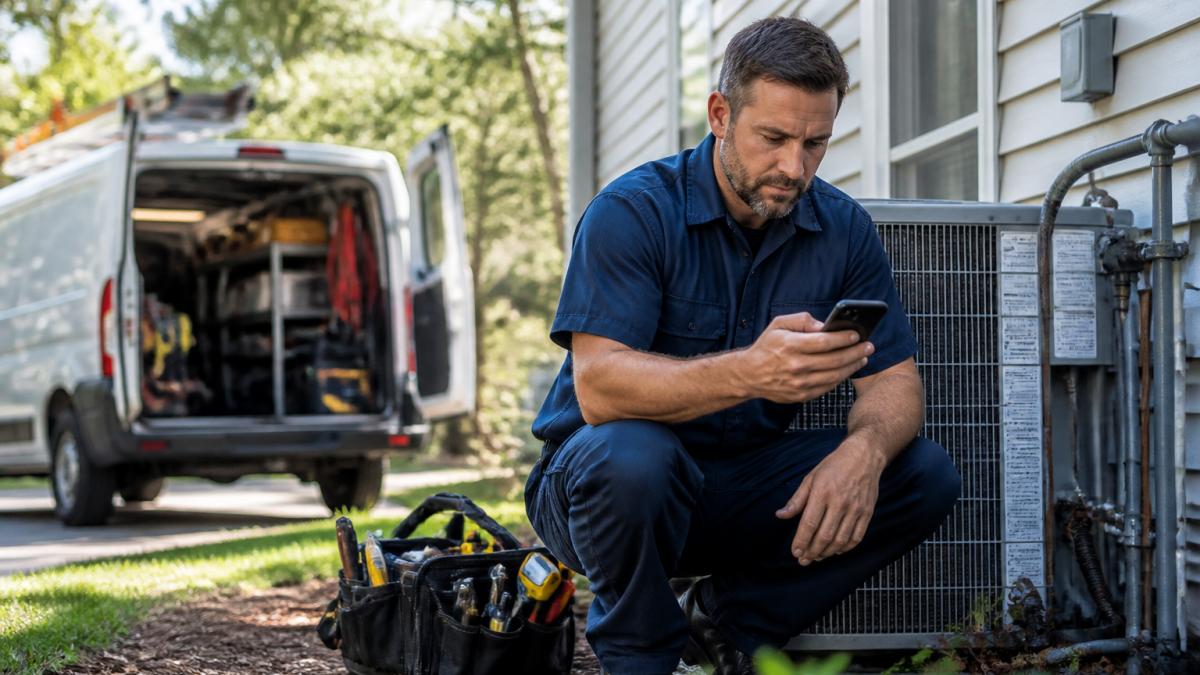
A common mistake is assuming every trade needs the same script. An auto repair shop gets calls about wait times and estimates; a plumber gets emergency leak calls at 11 p.m.
Missed-Call Text-Back Service: Why It Matters More Than Voicemail
A missed-call text-back service sends the caller an automatic text the moment you miss them, then captures the job details. It keeps the conversation alive and gives the customer a reason to wait for your callback. Learn how to capture missed HVAC calls with automated answering, text-back systems, and lead recovery workflows.
The response time matters. A text that lands in seconds feels like a business that has its act together. One that arrives an hour later feels like nobody's home.
Security, Handoff, and What Happens When the AI Fails
Every AI system fails eventually, and the good ones plan for it. Most reviews test the happy path: a clear caller, a quiet line, a simple request. The calls that decide whether a service is worth keeping are the messy ones.
Failure Scenarios to Test Before You Buy
- Heavy accents and dialect. Ask the vendor for a sample transcript from a caller with a strong accent. If they cannot produce one, test it yourself during the trial.
- Noisy calls. Call from a job site or a moving vehicle. Background noise is where speech recognition degrades fastest, and a garbled address is worse than no address.
- Ambiguous requests. "It's making that noise again" is a real call. The service should ask a clarifying question or escalate, not guess.
How Human Handoff Should Work
Good handoff is rule-based, not improvised. Look for configurable triggers: a caller who asks for a person, a keyword like "emergency" or "manager," a sentiment drop, or two failed attempts to understand.
A common pattern is warm transfer to an on-call tech during business hours and message capture with an immediate text alert after hours. The failure mode to avoid is a transfer that rings out and drops the caller, which is worse than a clean message capture.
Privacy, Recording Consent, and Data Retention
Call recording and transcription raise consent questions that vary by state. Some states require all-party consent to record a call, and others require only one party. Confirm how the service announces recording, where recordings and transcripts are stored, how long they are retained, and who inside your business can access them. Ask for the retention default and whether you can shorten it.
- Access controls. Can you limit who sees recordings and transcripts? Is there an audit log?
- Data location and deletion. Where is data stored, and can you export or delete it on request?
- Vendor security posture. Ask for a SOC 2 report or a completed security questionnaire. A vendor that cannot explain its data retention policy in plain language probably does not have a good one.
What to Put in Writing
Before signing, get the escalation rules, the recording consent script, the retention period, and the fallback behavior documented in the contract or onboarding materials. These are the terms that matter when a call goes wrong, and they are the terms most reviews never mention.
Start Your 14-Day Trial and Test It on Real Calls
The only test that matters is your own call volume. A free trial lets you route real inbound calls through the service and judge the lead summaries for yourself.
CallGrabbr runs a 14-day trial with no credit card required, and paid plans carry a 30-day money-back guarantee. You get AI-powered missed-call lead capture, leads texted to you in seconds, and no dashboard to learn. Sign in or create your account to start your trial and put it on real calls this week.
Frequently Asked Questions
What is the best AI answering service for a small business?
The right fit depends on your call volume and how you work. For trade contractors who are on job sites all day, the strongest option is one that answers missed calls on your existing number and texts you the lead details within seconds, like CallGrabbr. Look for clear lead summaries, no dashboard to learn, and a trial you can test on real calls before committing. Pricing depends on your plan, so check the provider's pricing page for current rates.
How much does an AI answering service cost for a small business?
Most AI answering services bill through a monthly subscription, and some add per-minute charges or setup fees. Your total depends on call volume, after-hours coverage, and whether you need integrations with your CRM or calendar. Compare the monthly cost against the value of one saved job: for a plumbing or HVAC shop, a single captured emergency call often covers months of service. CallGrabbr lists current pricing on its website and offers a free trial.
Is an AI answering service better than a virtual receptionist?
It depends on your budget and call patterns. A live answering service gives you a human voice, but you pay for coverage hours and may wait on hold during spikes. An AI answering service answers every inbound call instantly, 24/7, including after-hours calls, and costs less for most small businesses. Many contractors pair AI call answering with human escalation for urgent jobs, so the AI screens and routes while a person handles the exceptions.
Can an AI answering service transfer calls to a person?
Yes. Most AI answering services support call transfer, so the system can route a caller to your cell or a team member when the job is urgent or the caller asks for a person. Set clear rules for when transfers happen, such as emergency keywords or high-value job types. Test the handoff during your trial to confirm the transfer reaches the right number and that the caller is not left waiting.
The real risk isn't trying an AI answering service. It's another season of missed calls and jobs that went to the contractor who picked up. CallGrabbr is built for exactly that problem: it answers the calls you can't, texts you the lead details in seconds, works with your existing number, and backs paid plans with a 30-day money-back guarantee. Get started with CallGrabbr and stop losing jobs to voicemail.
