
Last Updated: October 23, 2026
Quick Summary
A virtual receptionist answers every incoming HVAC call, captures structured intake like name, address, equipment, symptom and urgency, and texts you a lead summary within seconds. For small HVAC companies it mainly stops missed calls and after-hours emergencies from going to competitors, and paid subscriptions carry a 30-day money-back guarantee.
- Callers with no heat or no cooling call the next company instead of leaving a voicemail.
- Intake should capture whether the caller is already a maintenance plan customer.
- Escalate no heat with a vulnerable occupant, gas smell, smoke, or an active water leak.
- A repeat caller within an hour should be treated as an emergency regardless of the script.
- Track answer rate and lead capture rate separately, since answering is not the same as qualifying.
Table of Contents
- Why Small HVAC Companies Lose Jobs to Missed Calls
- What a Virtual Receptionist Does for an HVAC Answering Service
- 24/7 and HVAC After-Hours Call Answering That Protects Revenue
- Emergency Triage: No-Heat and No-Cooling Calls
- Appointment Booking, Technician Routing, and Lead Capture
- HVAC Call Handling Scripts and Escalation Rules That Work
- Virtual Receptionist Pricing: What Small HVAC Companies Actually Pay
- Measuring ROI and Performance Benchmarks
- Frequently Asked Questions
Why Small HVAC Companies Lose Jobs to Missed Calls
The job you lose is rarely the job you quote. It is the call you never answered.
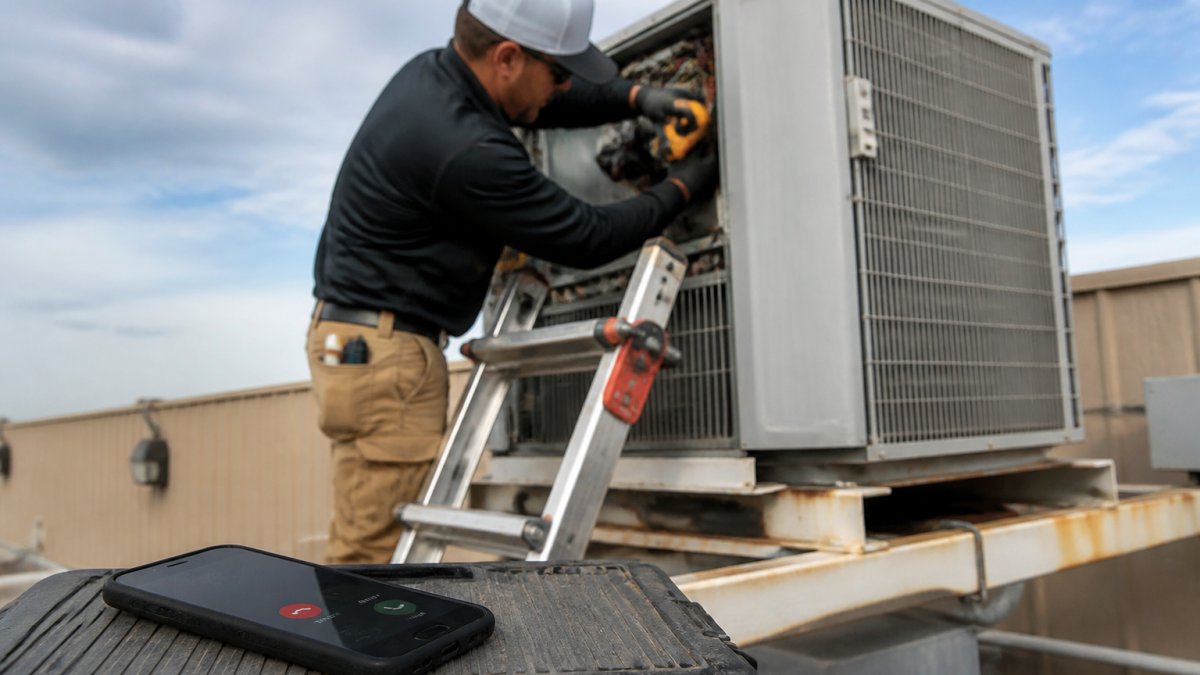
That is the problem a virtual receptionist for small HVAC companies solves, and why we built CallGrabbr around missed-call capture rather than a dashboard nobody has time to learn.
Most contractors assume voicemail is a safety net. The FCC's guidance on unwanted calls and consumer phone behavior makes clear how quickly consumers move on when a call does not connect.
Missed calls are the primary revenue leak in a small HVAC business, and every section below attacks that leak from a different angle.
What a Virtual Receptionist Does for an HVAC Answering Service
A virtual receptionist answers incoming calls on your behalf, captures the caller's details, and routes the information to you without a person at a desk. For an HVAC answering service, every call gets picked up, day or night, and you get the lead instead of a voicemail notification.
The difference comes down to the first thirty seconds. A traditional answering service takes a message. A modern virtual receptionist captures structured intake: name, address, equipment type, symptom, urgency, and whether the caller is a maintenance plan customer.
Here is what that intake looks like in practice for a small HVAC company:
- Caller identity and callback number captured before anything else
- Service address confirmed so you can check it against your service area
- Equipment and symptom recorded in plain language
A transcript is a document you have to read; a lead summary is a decision you can make between two service calls.
24/7 and HVAC After-Hours Call Answering That Protects Revenue
After-hours coverage is where small HVAC companies bleed the most. Emergency calls cluster at night and on weekends, when nobody is in the office. A caller with a failed furnace at 11 p.m. is not comparison shopping; they want the first company that answers.
HVAC after-hours call answering works best when it does two jobs: it reassures the caller that a real business received their request, and it gives you enough information to decide whether to roll a truck or schedule for morning, without calling the customer back to find out what is wrong.
The reliability question is fair, and it is the one we hear most. If an AI receptionist misses a call or garbles the details, you lose the job and the trust.
Emergency Triage: No-Heat and No-Cooling Calls
Emergency triage sorts incoming calls by urgency so genuine emergencies reach a technician immediately and routine requests wait for a scheduled slot. For HVAC, triage rules are simple to define and expensive to get wrong.
No-heat calls in freezing weather and no-cooling calls during a heat wave are the two categories that justify immediate dispatch. Everything else, including maintenance requests, quote inquiries, and filter changes, can wait for a callback during business hours. The OSHA guidance on heat-related illness explains why a failed cooling system in extreme heat is a safety issue, not just a comfort one, and that framing should shape how fast you respond.
A workable triage ladder looks like this:
| Call Type | Urgency | Response Target |
|---|---|---|
| No heat, vulnerable occupant | Emergency | Dispatch immediately |
| No cooling during heat advisory | Emergency | Dispatch immediately |
| System leaking or smoking | Emergency | Dispatch or advise shutdown |
| No heat, mild weather | Priority | Same-day callback |
| Routine maintenance request | Standard | Next business day |
| Quote or estimate inquiry | Standard | Schedule a visit |
The rule that saves the most money: never let a triage decision depend on the caller's own description of urgency. Ask the questions that separate a real emergency from an inconvenience.
Appointment Booking, Technician Routing, and Lead Capture
Appointment booking is where a captured lead becomes a scheduled job. A virtual receptionist that only takes messages leaves you to schedule twice: once on the callback and once in your field service software.
Good intake captures enough to book directly or hand off to dispatch with a clear priority.
Lead capture closes the loop: every call should produce a record you can follow up on, whether a text summary, a CRM entry, or both.
HVAC Call Handling Scripts and Escalation Rules That Work
HVAC call handling scripts are the questions and decision rules your answering service follows on every call. A good script is short, HVAC-specific, and built around three facts: what is broken, where it is, and how urgent it is.
Here is a script framework you can hand to any provider, including us:
- Greeting: "Thanks for calling [company]. Are you calling about a system that is down right now, or a routine request?"
- Identity: "Can I get your name and the best number to reach you?"
- Location: "What is the service address?" Then confirm it falls inside your service area.
- Symptom: "What is the system doing, and how long has it been happening?"
- Urgency: "Is anyone in the home elderly, an infant, or otherwise vulnerable?"
- Equipment: "Do you know the brand and approximate age of the unit?"
- Close: "A technician will follow up shortly. You will get a text confirming your request."
Escalation rules should be written down, not left to judgment. Escalate to a live person or on-call technician when the caller reports no heat with a vulnerable occupant, gas smell, smoke, or an active water leak.
Virtual Receptionist Pricing: What Small HVAC Companies Actually Pay
Virtual receptionist pricing is where most comparison guides fall apart, because providers quote in different units: per minute, per call, or a weekly or monthly plan with usage fees on top.
The honest way to evaluate cost is to model your own call volume against each pricing structure. A common pattern for a small HVAC company is 40 to 120 inbound calls per week, with intake calls running two to four minutes.
| Pricing Model | How It Works | Typical Structure | Watch Out For |
|---|---|---|---|
| Per minute | Billed for talk time | A per-minute rate applied to every answered minute | Long intake calls and hold time inflate the bill; a four-minute call costs four times a one-minute call |
| Per call | Flat rate per answered call | A fixed fee per call, sometimes tiered by volume | Overage fees above a monthly cap; spam and wrong-number calls may still count |
| Weekly plan | Fixed weekly fee | A set weekly charge with an included call or minute allowance | Usage limits buried in terms; peak-season overages |
| Monthly plan | Fixed monthly fee | A set monthly charge with an included allowance | Overage charges on peak weeks; annual prepay discounts that lock you in |
| Hybrid | Base fee plus usage | A lower base fee plus per-minute or per-call charges | Hardest to forecast in busy season; read the overage rate carefully |
Building a real monthly estimate
The total cost comparison that matters has four line items: the base subscription, usage above the included allowance, any setup fee, and peak-week overage charges. A plan that looks cheap at the headline can cost more than a flat plan once you cross its included minutes in a heat wave.
Work an example with your own numbers. At 80 calls a week averaging three minutes, that is 240 minutes a week, or roughly 1,040 minutes a month. Multiply by a provider's per-minute rate and add the base fee for the true monthly figure; do the same against a per-call plan.
What to ask before you sign
- Setup fees: Is there a charge to configure intake scripts, call forwarding, and routing?
- Included allowance: How many calls or minutes are included, and what happens at the cap?
- Billing on short calls: Are hang-ups, robocalls, and wrong numbers billed as calls or minutes?
For CallGrabbr specifically, current pricing is listed on our website, and there is a free trial with no credit card required, so you can test it against a real week of calls before committing.
The total cost comparison that matters includes the jobs you recover, not just the subscription. A single emergency repair or replacement call can outweigh a month of service.
Measuring ROI and Performance Benchmarks
ROI for a virtual receptionist comes down to recovered jobs minus the cost of coverage. Here is a worked model, target ranges, and a simple way to track each number without new software.
The ROI formula, with a worked example
Start with three inputs from your own records: missed calls per week before coverage, the share that were genuine leads, and your average job value. Then apply your close rate on recovered leads.
A simple formula: missed calls per week × share that were real leads × average job value × close rate on recovered leads = monthly revenue recovery.
Work it with placeholder numbers. Suppose you were missing 12 calls a week, and 60% were genuine leads, about 7 a week.
Benchmarks worth tracking every month
- Answer rate: the share of incoming calls picked up on the first attempt. Aim to keep this near 100% during business hours and after hours; any gap is a leak.
- Lead capture rate: the share of answered calls that produce a usable summary with name, address, symptom, and urgency. A high answer rate with a low capture rate means calls are being picked up but not qualified.
- Booking rate: the share of captured leads that turn into scheduled jobs. Track this weekly; a falling rate usually points to slow follow-up, not a bad receptionist.
How to track it without new software
You do not need a dashboard. A shared spreadsheet with one row per week and columns for calls answered, leads captured, jobs booked, and revenue booked is enough to see the trend. The U.S. Chamber of Commerce's small business data and guidance is a useful reference for benchmarking operating costs against revenue, and the Better Business Bureau's standards for customer response reinforces why response time is a trust signal, not just an operational metric.
Turning the numbers into a decision
Review the model after 30 days, then again after 90. If recovered revenue exceeds service cost in the first month, the decision is easy. If not, check booking rate and response time before blaming the service, the usual culprits are slow follow-up on lead summaries and intake scripts that miss the urgency question. Fix those, then re-run the model.
Frequently Asked Questions
How much does a virtual receptionist cost for a small HVAC company?
Virtual receptionist pricing varies widely by provider and plan structure. Most services charge either per minute, per call, or a flat monthly fee, and many add usage fees for overages. For a one-truck HVAC company, costs depend on call volume and whether you need 24/7 coverage. CallGrabbr offers a free trial and publishes current pricing on its website, so you can compare total monthly cost against the revenue from even one recovered job.
Can a virtual receptionist answer HVAC emergency calls after hours?
Yes. Many virtual receptionist services offer 24/7 and after-hours call answering, which is critical for no-heat and no-cooling emergencies. The best setups use call triage to identify urgent service requests, capture the caller's address and issue, and route the lead to an on-call technician via text or phone. This means a burst pipe at 2 a.m. or a failed furnace on a freezing night still reaches someone who can dispatch help, instead of going to voicemail.
What information should an HVAC receptionist collect from callers?
A good HVAC intake process captures the caller's name, phone number, service address, type of system, whether it is heating or cooling, how urgent the problem is, and any access notes. For emergency calls, it should also confirm whether the caller is a maintenance plan member and whether they have already tried basic troubleshooting. These details let you prioritize jobs, dispatch the right technician, and follow up with an accurate estimate without playing phone tag.
Is an AI receptionist a good fit for a small HVAC company?
For many one-truck and small HVAC shops, an AI receptionist is a practical fit because it answers calls you cannot reach while on a job site, captures lead details, and sends them to your phone in seconds. It costs less than a full-time hire and works around the clock. The trade-off is that complex or emotional callers may still want a human, so a hybrid approach with clear escalation rules works best.
Missed calls are the cheapest problem in your business to fix and the most expensive one to ignore. If your phone rings while you are on a roof, you need coverage that captures the details and gets them to you before the caller dials someone else. CallGrabbr answers the calls you cannot reach, texts you a lead summary in seconds, works with your existing number, and requires no dashboard to learn. Start the 14-day trial and see what a week of answered calls looks like.
